
Internet Explorer
Internet Explorer is not supported. Please upgrade to a more modern browser.
Lots of players are reporting being unable to chat in game since Minecraft released Chaos Cubed. Here's some help on how to fix it.
If you are unable to chat, your screen may look something like this:
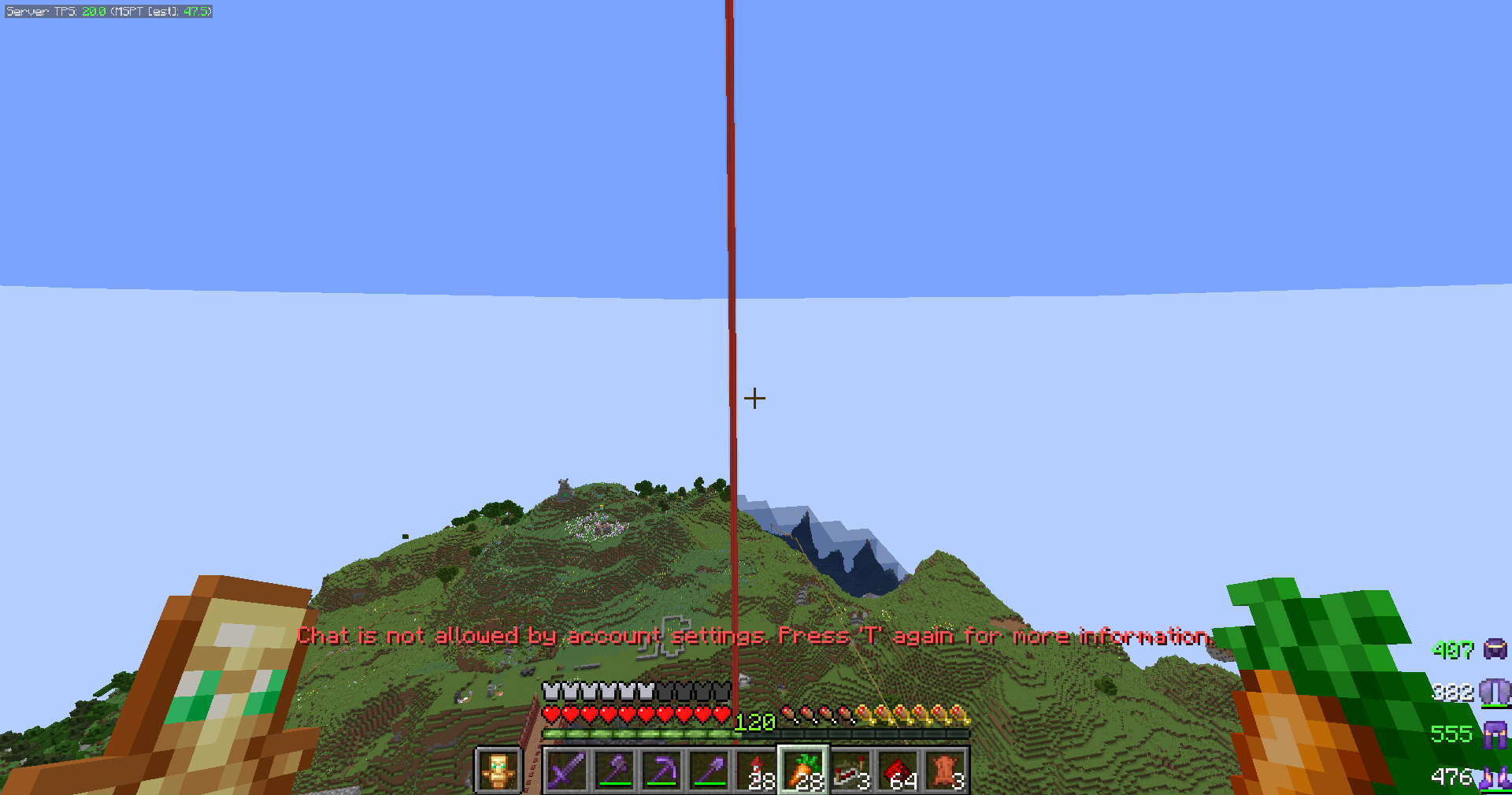
If you press T, it will show you the information from Xbox explaining what you need to do to fix it. It will send you to https://support.xbox.com/en-GB/help/family-online-safety/online-safety/UK-age-verification and ask you to click https://aka.ms/XboxUKAgeVerification here.
Verify your age!
If you are in the UK, you will need to do the face scan or submit ID to prove you are over 18. If you are under 18, your parent will need to do this.
Check your Xbox Privacy Settings!
https://www.xbox.com/en-GB/user/settings/privacy-and-safety
If you have a child/young person account, as part of a Family with Xbox, you will need your Parent to log in with their Microsoft account to the above page. They will need to make sure they have verified their age (if applicable) and then they will need to check the privacy settings. This is an example how they might be set up. Please scroll down for the chat fix. The settings below allow a player to access multiplayer servers and chat on them.
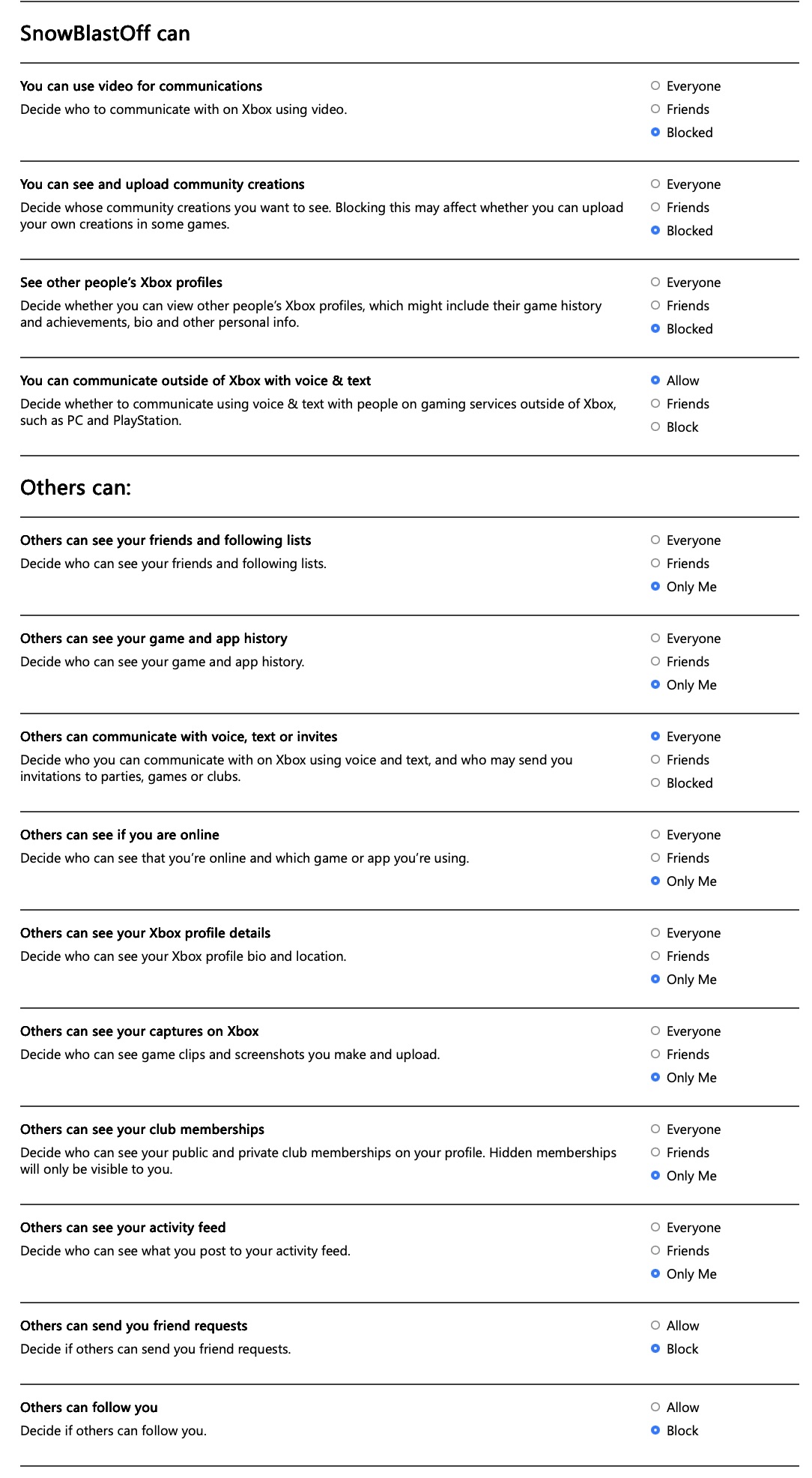
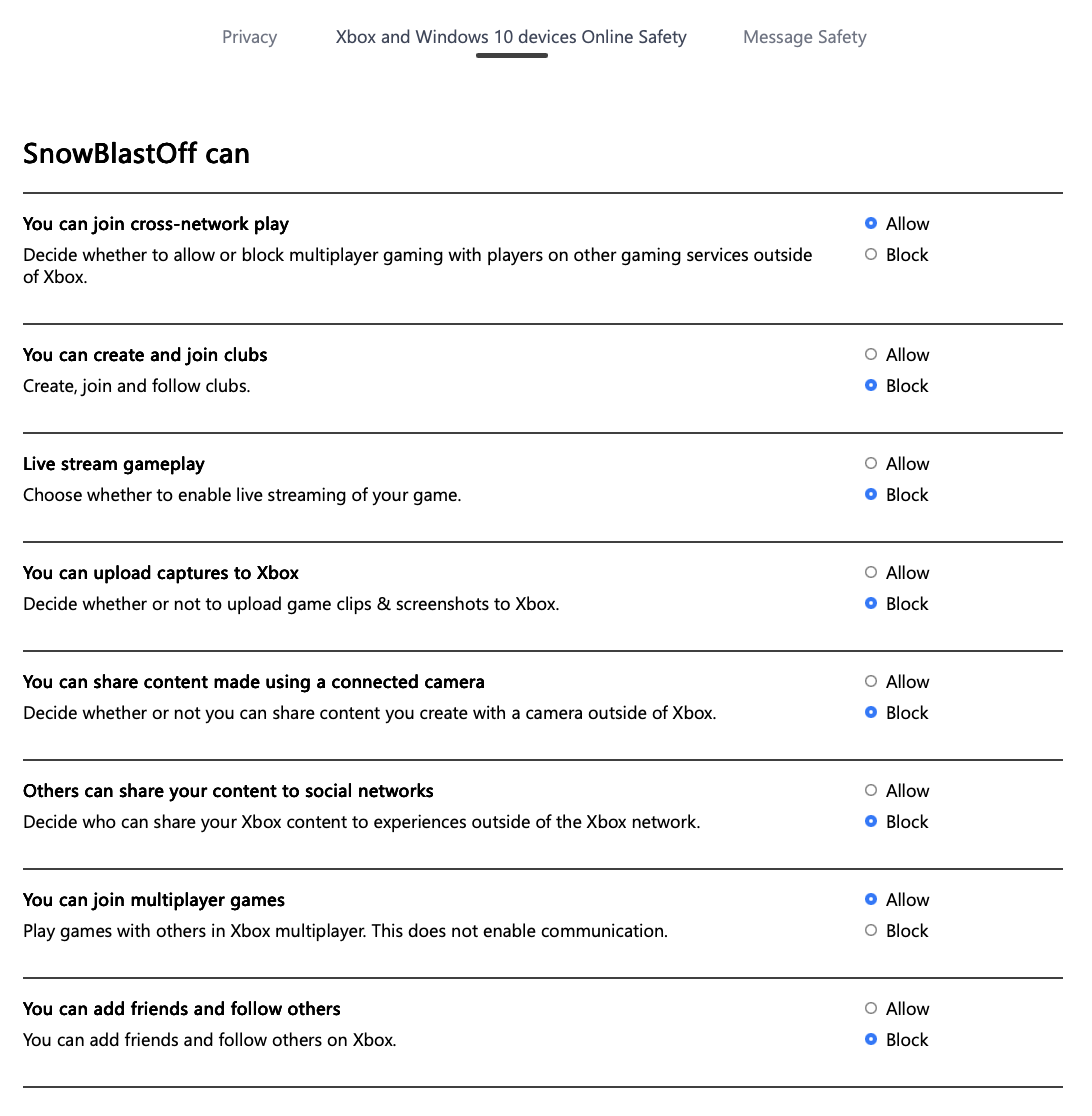
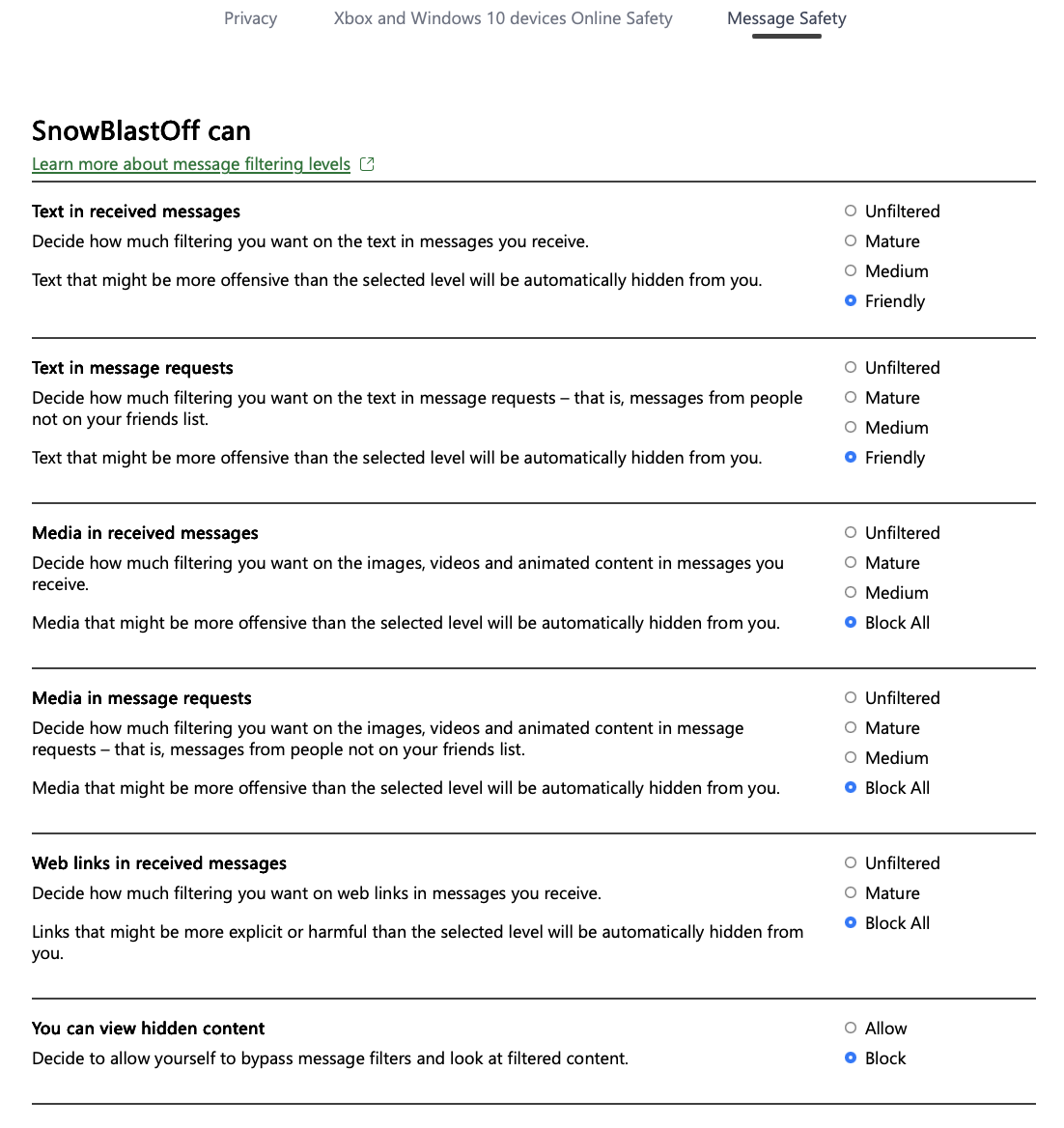
To fix chat you MUST have set these two to Allow or Everyone:


Make sure you have pressed SUBMIT after each page of settings and reload your game and launcher after changing the settings.
-------
If you're in the UK and over 18, it may just be a case of verifying your age.
If doing this does not work, please try downloading the Xbox Family Settings App https://www.xbox.com/en-GB/apps/family-settings-app and trying through there.
If this still does not work, please leave a comment on our forum page or contact Xbox Support.
Please note you can still use books and signs to communicate with staff in game and we will see them and be able to help you.